
Examples for support purposes.
License: GPL3
ubuntu2004-dev
Playing around a little with SciLab in SageMathCloud. Following [Scilab for very beginners](file:///Users/wstein/Downloads/Scilab_beginners.pdf).
Note: there are currently annoying control codes in the output, when you use "%scilab".
Note: If you make a command-line terminal on SageMathCloud and just type scilab it fails, but if you type scilab -nw it works.
9.
 ans  =

9. ans =
14.25 ans =
161051. ans =
5.4 ans =
3.We can't just write %e as in the tutorial, since that is SMC's notation to switch to a different mode for the cell.
 %e  =

2.7182818 ans =
2. + 3.i ans =
1.618034 ans =
0.0060699 !--error 4
Undefined variable: a a =
0.7853982 a =
0.7853982 ans =
280. ans =
4.4999745 ans =
9.5555556 v =
3.
- 2.
5. m =
1. 2. 3.
4. 5. 6.
7. 8. 9. ans =
30. 36. 42.
66. 81. 96.
102. 126. 150. ans =
3. 4. 5. 6. 7. 8. 9. 10. ans =
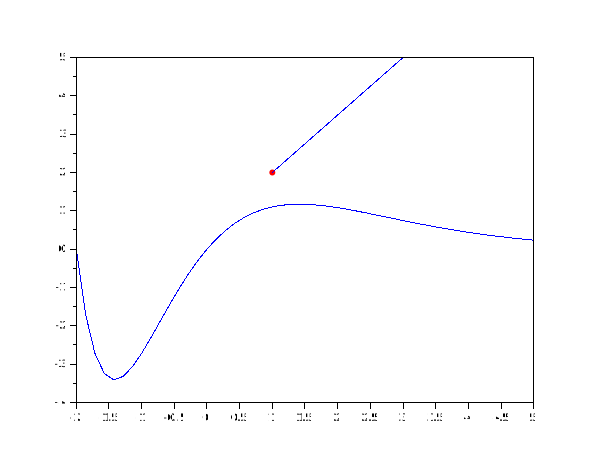
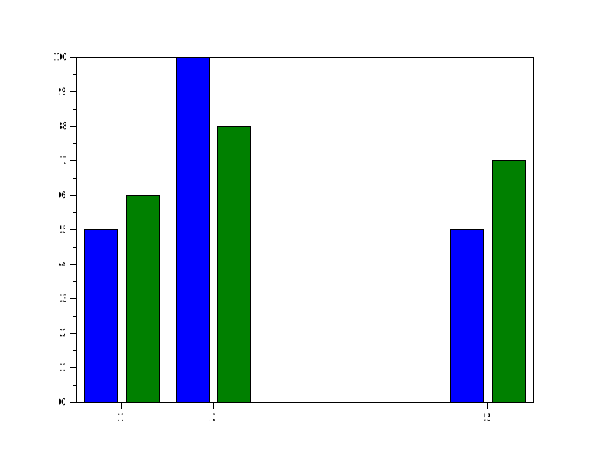
1. 3. 5. 7. 9.I don't think SMC has automatic support for scilab plots. If there were interest, it would probably be easy to implement.
But you can display plots anyways as follows:


Warning : redefining function: f . Use funcprot(0) to avoid this message